Installing wTorrent on Gentoo

If you want to download torrents on your Linux system, there are several clients to choose from. One of the nicest and fastest clients is rTorrent. It is full-featured, supports encryption, dynamic host table exchange and achieves fantastic download speeds.

But its best feature probably is that it isn’t bound to any windowing toolkit. You can install one of its GUI frontends to manage it on your fancy KDE 4 desktop machine, but you can also run it on a headless system and manage torrent from a text-only console. And if you happen to run it on a home server like me, there’s wTorrent, a beaufitful AJAX-driven web frontend that allows you to manage your torrents in your browser.
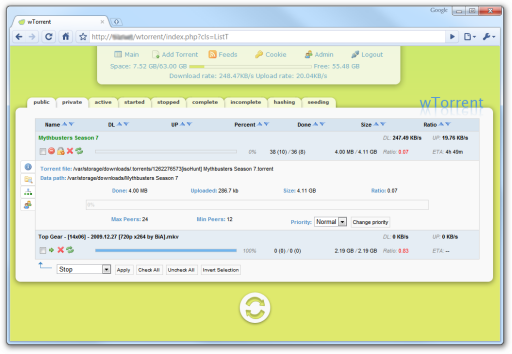
Screenshot of the wTorrent web frontend for rTorrent

Installing wTorrent isn’t the easiest thing to do, so, as when I tried to get the best out of my SSD, I decided to write this small article explaining how to do it. I’m using Gentoo Linux, but it shouldn’t be too hard to apply this article to another Linux distribution.

Read More


Logo of the XNA Game Game Architecture tutorial series, three interlocked gears

Game Architecture Day 1

Stylish logo of two engaged gears with the text XNA Game Architecture

Welcome to day 1 of the XNA Game Architecture series! We’re about to create a small 3D Shoot ’em Up using the principles of modern software architecture.

If you missed the introduction, this series is about the architecture of games. Instead of focusing on a single concept, we’ll be focusing at how it all comes together and how you can keep your game’s code manageable and clean. You’ll be looking over my shoulder as I write a small game and explain why I do things one way and not the other :)

Today, I will start the project by creating a development tree that contains the actual XNA project and some third-party libraries I’m going to use within the game. Normally, I would add those libraries as I go, but I’ve got a pretty clear idea for this project and it will be easier for you because I can just package them all in a handy zip archive which you’ll find at the end of this article.

Read More

Aligning an SSD on Linux

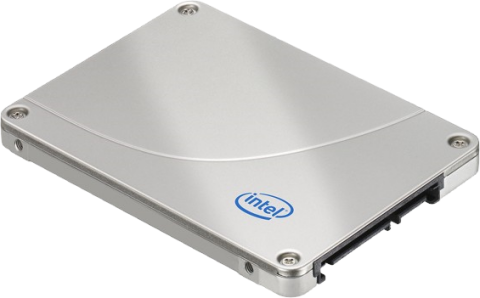
I’ve got a small home server with a software RAID-5 for storing my files. It also runs a few virtual machines and acts as a NAT router for internet access. Nothing expensive, just some Frankensteinian patchwork built from old hardware left over when I upgraded my workstation. Nevertheless, I granted it a brand new Intel X25-M SSD last week.

Photo of an Intel X25-M SSD drive, which is a metal box smaller than a CD case

Did I mention that this server is running Gentoo Linux? I thought this would be a good time to do a fresh install and get everything right that might have gone wrong the first time. Besides, installing Linux always is an interesting (and masochistic) experience, especially when your chosen distribution has no installer :)

Because getting my partitions and file systems aligned also proved to be difficult task, I thought why not make a small article out of this!

Read More

Game Architecture Series

Stylish logo of two engaged gears with the text XNA Game Architecture

Series

I’m planning to start a short article series:

There are a lot of XNA tutorials out there that explain the basics – how to display a sprite, how to do collision detection and how to render a bunch of colorful particles with additive blending. But there aren’t many articles that explain to you how you’re supposed to put it all together – how to structure a game so that it is easy to extend and remains manageable when the amount of code begins to grow.

The discipline that deals with this issue is called software architecture. Like programming, or any other creative process, it relies a lot on tacit knowledge – finding a good solution without first running down an alley of dead ends (that you can identify using the Principles of Object-Oriented Design) requires a lot of experience.

What I will do in this series is let you look over my shoulder as I design a small game and try to explain my motivations for choosing one design over another while I do so. This will give you a solid starting point and an understanding of the design process that you can apply to your own game projects.

The Meaning of 100% Test Coverage

When I release components, example code or even just helper classes, I often tout 100% test coverage as a feature. Which (as I probably also state often enough :P), means that my unit tests execute 100% of all lines in the source code. But what advantage does this actually bring to a developer, and, just as interesting, what does having complete test coverage not mean?

For people practicing true TDD (test first -> red, green, refactor), 100% coverage is nothing unusual, though even they may decide to not write tests for all invalid inputs possible: if a piece of code satisfies all the tests and the tests cover everything the code should do, it’s enough. If you’re building a library on the other side, the use case of a customer providing invalid inputs will be a valid concern worthy of a test.

I, however, am currently adding unit tests to an existing code base and I decided to go for 100% test coverage. In this short article, I will explain why I see complete test coverage as a worthwhile goal, what effect going for that level of test coverage has on a project and what it says about the code.

Read More
Logo of the Nuclex Framework, the text "Nuclex" with three green dots on a blue ring

Nuclex Framework R984 Released!

The word 'Nuclex' with a stylish font framed by an elliptical ring with three dots

I just uploaded a new release of the Nuclex Framework on CodePlex!

It has been a lot of work getting the GUI library finalized. For once, I really wanted to have 100% unit test coverage on the whole library, which meant a lot of work ensuring the design allowed for this and thinking of all the test cases. But hey, what other GUI library can provide that level of unit tests! :)

Another feature I didn’t want to let go of was control navigation with the game pad and cursor keys. The idea is that you, the developer, just throw some controls on the screen and the GUI will automatically figure out which control to change focus to when the player uses the thumb stick on his game pad. This means you can just add four buttons labeled “New Game”, “Options”, “Credits” and “Quit” to your screen and voilà, you’ve got a main menu the user can interact with using his mouse, keyboard or game pad.

Read More